Image processing II
MICRO-512
IP Lab Guidelines - to read before you start working
This page is part of the content downloaded from IP Lab Guidelines - to read before you start working on Monday, 30 June 2025, 16:59. Note that some content and any files larger than 50 MB are not downloaded.
Description
Before you start working on the lab, please carefully read through the guidelines that address important issues related to the submission and grading of IP Labs.
Page content
During your work on the notebooks
- Click on the link for the distribution of labs on Moodle to get new labs once they are published.
- Conceptual discussions with your peers are encouraged. However, sharing code in any way is forbidden and will be considered an attempt to break the EPFL's directives on plagiarism.
- If you have questions about the exercises, you can consult the TAs during help sessions or post on the Moodle forum. When you post questions, please follow the rules on the forum. We encourage everyone to answer as many of your fellow classmates' questions as you can!
- Notebooks that are broken and cannot be opened due to your manipulation will result in 0 points for it.
Before submission
- Make sure all your cells can run within reasonable amount of time: typically seconds unless otherwise specified in the exercise. Functions that run into timeout are WRONG answers, you will get 0 points for this function and any follow-up usage of this function.
- Save your work then clear all outputs.
- Do NOT include the images folder.
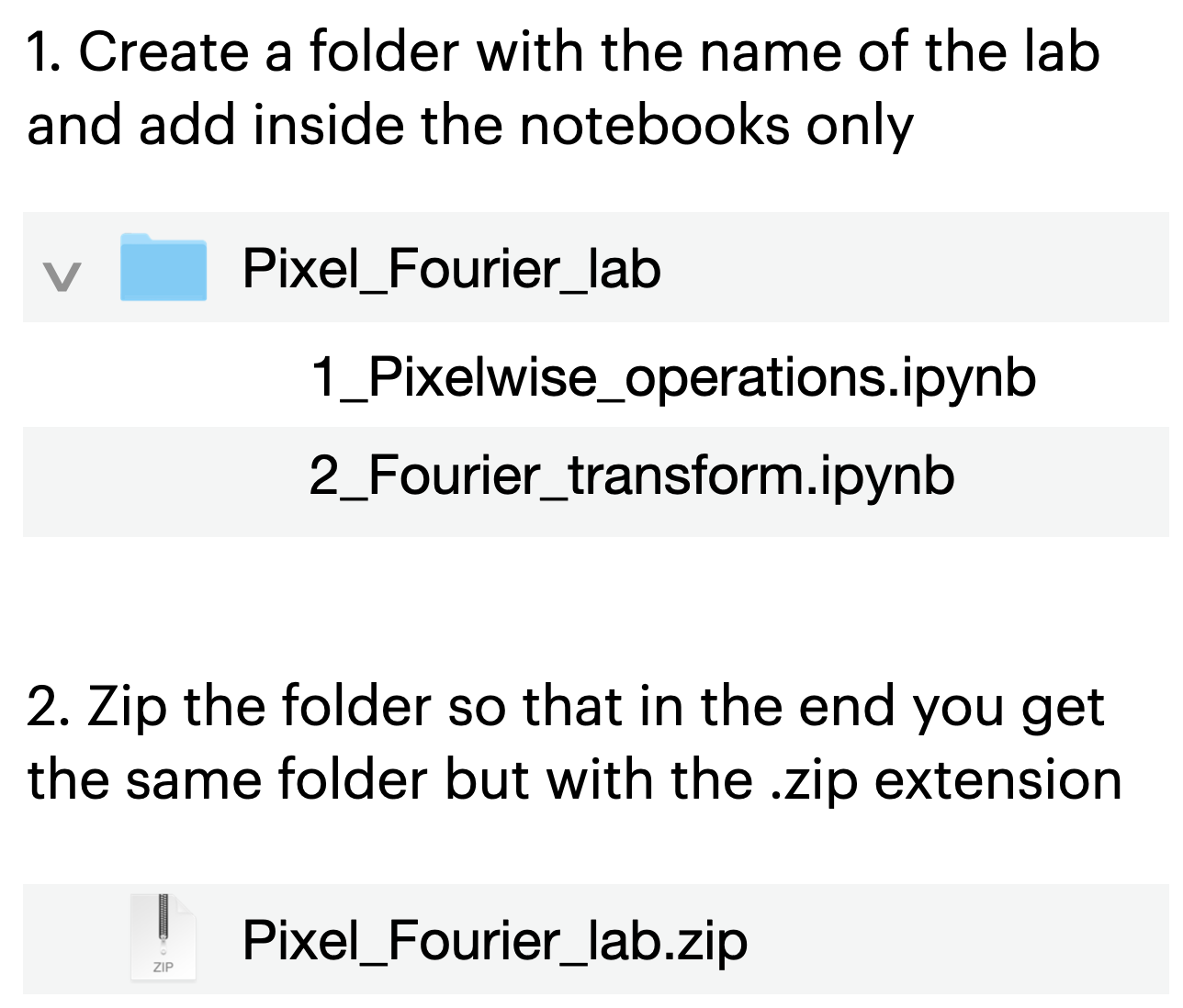
- Follow the submission rules of notebooks and zip files.
Submission to Moodle
Bottom line: no submission after the deadline will be accepted.
- You should always submit on Moodle, NOT any other way. The submission portal for each lab will open in due time.
- Avoid submitting at the last minute. If you still do it and run into technical issues that prevent you from submitting on Moodle, send your zip to the head TA by email BEFORE the deadline.
- In the case of uncontrollable events such that you cannot submit in time, inform the head TA Alexandre Cionca by email (alexandre.cionca@epfl.ch) with Daniel Sage (daniel.sage@epfl.ch) and Zhiyuan Hu (zhiyuan.hu@epfl.ch) in CC BEFORE the deadline to negotiate a reasonable submission date. Follow the formal procedure of EPFL concerning medical documents.
- Double check your files are not broken. Once submitted, check the submission was correctly uploaded to Moodle.
Inquiries after grades are published
- There is an office hour to address your inquiries for each
lab.
- The time and location of the office hour will be communicated in the announcement after the grades are published.
- If you have doubts
about your grade, please prepare your arguments well so that no one is
occupying too much time and others also get their turn. Kindly note that we can only change your grade if your answer is completely correct.